Page Text: In the color palette, scroll the transparency bar.
The Importance Of Content Background Setting
1) It defines the area of the page that is visible when viewed in mobile devices.
When the page is viewed in mobile devices, the page will be resized to fit the content width. This means elements that are outside of the Content Width will be out of view.
To show the importance of Content Width, the Page Builder highlights the border of the Content with dotted lines and explicitly indicate that 'Elements beyond this line may be hidden.'. (See screenshot below.)
2) It can be used to create different background effect
Below are the various background options for the Content.
3) It determines the position of the content relative to the left or right, top and bottom.
Content is centered by default, unless a Left or Right Offset is set. (See the differences below.)
You can also set the Top/Bottom Offset of the Content (See the differences below.)
Important Tip
If you plan to design a new page without using our template, it is important that you set the Width of the Content before you start designing.
This is because the position of all the elements is relative to the Content Width.
If you were to change the width of the content AFTER you have designed the page, you will have to re-arrange the elements all over again.
How to edit Content?
1) Click 'Background' (arrow 1).
The Content Background Settings is the second setting on the right (arrow 2).
2) To edit the Width and various Offsets, refer to arrow 3.
The Importance Of Rows
1) Row is the container for Elements.
Elements are added into a particular Row.
Elements are Row specific in the sense that their positions are relative to the Row they are in.
You can move an Element from one Row to another by simply drag and drop. (See demo below.)
To view the editor of all the Elements in a Row, click on the Row (see screenshot below).
2) Use different Rows for ease of re-arrangement.
If your page design is long, it is a good idea to split it into several rows.
Imagine you have a long page with only 1 Row. To add an element somewhere in the middle of your page, you will have to move all the elements down to make space for the new element. But if you have split the page into different rows, you just have to adjust the elements in that particular row.
3) Some rows have special functions.
For example, a 2-column row allows 2 columns in a row, and the columns will collapse into 2 rows when viewed in a mobile device. (See the example below.)
Another example is the special row for Paypal payment button, which will auto resize when the payment button expands into a payment form. (See the demo below.)
4) Row allows full-width design
A typical web page design is made up of a Page Background with a fix-width content in the middle (see example below).
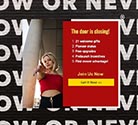
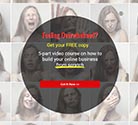
By setting the Row to full width, we can create full-width design like these:
How to edit Row background?
1) Click on the Row you want to edit (arrow 1)
The background editor for that Row is the first editor on the right (arrow 2).
2) Change the background color (arrow 3).
3) Set the row background to full width (arrow 4).
Note: Setting the row background to full width only affect the background of the Row. The Elements in the Row should still be INSIDE the Content Width, otherwise they will not be visible in Mobile Devices. Read > The Importance Of Content Background Setting to learn more.
Explain the different row types
When you add a new Row (arrow 1), you will see an option to choose the Row Type.
1-Column Row
This is the most common row usage.
It is typically used for headlines and simple top-to-bottom design.
2-Column Row
This row has 2 columns that are collapsible when viewed in mobile devices.
You can choose the Left/Right column ratio and whether the Left or Right column will be on top.
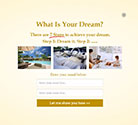
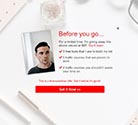
For example, if you choose a 40-60 column ratio with Left on top, you can have a page design like this:
If you prefer the image on the right, yet still want it to be on top when collapsed, you can choose Right on top.
3-Column Row
This row has 3 columns that are collapsible when viewed in mobile devices.
Typically, the Column width should be at least 900px if you want to use 3-column row, otherwise the font size will be too big when viewed in mobile devices.
Dedicated Row For Ad Widget
Add this row if you want to add LeadsLeap Ad Widget to your Page.
Dedicated Row For Paypal Payment
This is a dedicated row for Paypal payment button.
Explain the different Element types
- Add a new Text element to your design.
- Add a new Hyperlink element to your design.
- Add a new Icon element to your design. We use Fontawesome icon. If you are familiar with it, you can enter the icon class directly.
- Add a new Background element to your design. You can style the background with color, gradient or image.
- Add a new Image element to your design.
- Add a new Line element to your design.
- Add a Custom Code to your design. It includes video, social network plugins, iframe, hidden element etc.
- Add a Button element. You can set the function of this button to submit the form, to close the widget, or to navigate to another website.
- Add a new Input field so that you can collect more data from the subscriber.
- Add a Countdown timer to your page or make the page a One Time Offer.
How to move several Elements at the same time?
CLICK the 'lock' of the first element you want to move and DRAG across multiple locks to group/ungroup them. (see the demo below)
If the elements are not together, you can click individual 'lock' to group/ungroup the element.
My Page is a mess when view in mobile device. Why?
1) Check that all the Elements are completely inside their respective Row. (Tip: If you see an Element with negative Left Offset or Top Offset, most likely it is in the wrong Row.)
2) If you use 2-column or 3-column row, make sure that no Element in any column extend into another column.
3) Check that all your elements are within the Column width.
4) Check the Column's Left, Right and Top/Bottom Offset. Do they make sense?
How to add a countdown timer to a Page?
1) In the Page Builder, click on the Row that you want to add the countdown into (arrow 1)
2) Click the button denoted by arrow 2 to add a countdown timer.
3) Set up the options (arrow 3).
How to animate the elements in a Page?
Almost every element can be animated.
Simply click on the element you want to animate.
The animation setting is at the bottom. (See the animated screenshot below.)
How to add Paypal payment button to a Page?
Paypal button is a rather complicated button that cannot be simply added as an element.
A special row is needed to cater to Paypal button.
1) Click (arrow 1) to add a new row.
2) Select 'Dedicated Row For Paypal Payment' (arrow 2)
A new row with Paypal button will be added (arrow 3).
3) Replace the sample Paypal code (arrow 4) with your own Paypal code, which you can obtain from your Paypal account.
3.1) Login to your Paypal account and go to App Center > Accept payments > Paypal Checkout, or here .
3.2) Scroll down to Quick setup for individual items, then click 'Start Setup'.
3.3) You will arrive at a setup similar to the screenshot below:
3.4) Customize the form (arrow 5), select Desktop (arrow 6) and click 'Copy Code' (arrow 7).
3.5) Paste the code into the Page Builder, replacing the sample Paypal code (see arrow 4 in the earlier screenshot).
Below is how the Paypal payment button will behave in production.
The actual behavior of the button is controlled by Paypal. We simply make it possible for those behaviors to happen in our landing page system.
2 things to take note:
- no other elements can be added into this row.
- the Paypal button cannot be moved into other rows.
How to add LeadsLeap Ad Widget to a Page?
LeadsLeap Ad Widget is a javascript code, hence it cannot be simply added as an element.
A special row is needed to cater to the Ad Widget.
1) Click (arrow 1) to add a new row.
2) Select 'Dedicated Row For Ad Widget' (arrow 2)
A new row with an Ad Widget will be added.
2 things to take note:
- no other elements can be added into this row.
- the Ad Widget cannot be moved into other rows.
How to redirect subscriber to another URL after opt-in?
Read > How to build a page? for the full answer.
Below is the short answer.
1) Click 'Launch Editor' (arrow 8) to launch the Page Builder.
2) Click on '2. List' to show list options (arrow 11).
3) Select Use SendSteed (LeadsLeap List Manager) (arrow 12).
A set up form will appear on the right (see screenshot below).
4) Enter the URL you want the subscriber to be redirected to (arrow 14).
5) Save the work.
Please note that if you use a 3rd party list manager instead of SendSteed, redirect is done by the 3rd party list manager. You'll have to ask them how to do the redirect.
How to link a page to SendSteed list?
1) Click on '2. List' to show list options (arrow 11).
2) Select Use SendSteed (LeadsLeap List Manager) (arrow 12).
A set up form will appear on the right (see screenshot below).
3) Click 'Get List ID' (arrow 13) to show all the SendSteed Lists you have, then select the SendSteed List that you want to connect to this Page.
4) Click 'Close' (arrow 15 above).
How to link a page to a 3rd party list like Aweber or Mailchimp?
1) Click on '2. List' to show list options (arrow 11).
2) Select Use 3rd-Party List Manager (arrow 12).
3) Click 'Import Form Details' (arrow 13).
A form similar to the screenshot below will be shown.
4) Go to your list manager and copy the HTML Form Code.
The form code should start with
..
Below is a sample form code taken from Aweber site.
5) Copy the form code, starting from
, ignoring all other codes before and after, then paste it into the textarea above (arrow 14).
6) Click 'Import this form' (arrow 15).
7) Match the input names.
This step is a little technical. Basically different list managers use different input name. You will have to match it with the name of the input fields in your Page.
Take the Aweber code for example, there are 3 input fields and hence 3 input names: name, email and custom Color.
name and email is the same as our input names for first name and email, hence it is already matched. But custom Color doesn't exist in the Page. Hence the system will prompt you for further action (arrow 16).
If you need the 'custom Color' input field, you can choose the first option 'Create a new input field'. If you do not need the input, choose 'Ignore this input field' (arrow 17).
Some list managers use input names like da_name and da_email. In this case, you will have to match da_name to input field 'name', and da_email to input field 'email'. You will be prompt if you need to do that match. It's not hard once you understand the methodology.
After you have done the input field matching, the form will automatically be merged into your Page. You will see the form settings be filled automatically (arrow 18 below).
How to redirect subscriber to another URL after opt-in?
1) Click on '2. List' to show list options (arrow 11).
2) Select Use SendSteed (LeadsLeap List Manager) (arrow 12).
A set up form will appear on the right (see screenshot below).
3) Enter the URL you want the subscriber to be redirected to (arrow 14).
4) Save the work.
Please note that if you use a 3rd party list manager instead of SendSteed, redirect is done by the 3rd party list manager. You'll have to ask them how to do the redirect.
Page and content backgrounds only
Other elements cannot be added
Ad widget only
Other elements cannot be added
Paypal payment button only
Other elements cannot be added
Add New Element:
Tip 1: Sort editor to move element to front / back.
Tip 2. Click and drag across locks to lock/unlock elements.
No element in this row.
Use the buttons above to add a new element.
Page Background Settings